Chapter 11: Container Adaptors—Enforcing Order with Stacks and Queues
By Ali Naqi | December 01, 2025
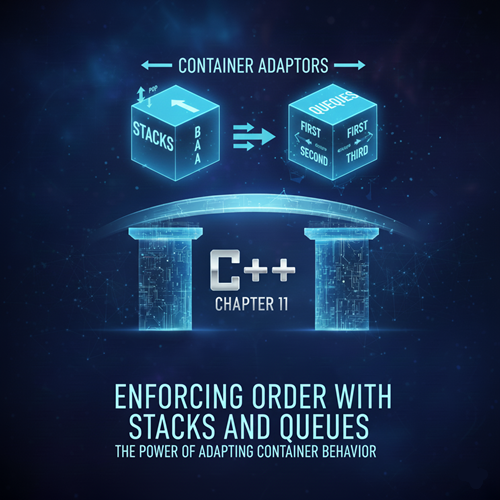
Chapter 11: Container Adaptors—Enforcing Order with Stacks and Queues
Welcome to Chapter 11. In our previous discussions, we explored powerful, general-purpose containers like std::vector and std::map. These containers are incredibly flexible—you can insert elements anywhere, access them randomly, and iterate through them at will.
However, in software engineering, flexibility is not always a virtue. Sometimes, having too many options leads to bugs. Imagine you are writing a program to handle printer jobs. You absolutely need the first document sent to the printer to be the first one printed. If you used a std::vector, you could accidentally insert a new document at the beginning, or access and delete a document from the middle, breaking the logic of the print line.
This is where Container Adaptors come in. These are special classes in the C++ Standard Template Library (STL) that take an existing container (like a vector or a deque) and restrict its interface to enforce a specific rule of data manipulation. They strip away the ability to access random elements and force you to follow a strict protocol.
In this chapter, we will master the three most critical adaptors: the **Stack** (LIFO), the **Queue** (FIFO), and the **Priority Queue**.
Section 1: The Stack (std::stack)—Last In, First Out
The **Stack** is the simplest and arguably most common data structure in computer science. It follows the **LIFO** principle: **Last-In, First-Out**.
The Real-World Analogy
Think of a stack of heavy dinner plates at a buffet.
- You can only add a new plate to the **top** of the stack.
- You can only remove a plate from the **top** of the stack.
- If you want the plate at the bottom, you must remove all the plates above it first.
Key Operations
To use a stack, you include the <stack> header. Unlike vectors, you cannot use an iterator to traverse a stack, and you cannot use [] to access an index. You are limited to these primary operations:
push(value): Places a new element on top of the stack.pop(): Removes the top element. (Note: In C++, this returnsvoid; it does not return the value being removed).top(): Returns a reference to the top element (so you can see it).empty(): Returns true if the stack has no elements.
Practical Example: The "Undo" Feature
Stacks are the logic behind the "Undo" (Ctrl+Z) button in almost every application. Every action you take is pushed onto a stack. When you hit Undo, the program pops the most recent action off the stack and reverses it.
#include <iostream>
#include <stack>
#include <string>

void stack_simulation() {
    // Declare a stack of strings to track user actions
    std::stack<std::string> action_history;

    // 1. User performs actions (Push)
    action_history.push("Type word: 'Hello'");
    action_history.push("Bold text");
    action_history.push("Delete word");

    std::cout << "Current Action (Top): " << action_history.top() << std::endl;

    // 2. User hits Ctrl+Z (Undo)
    std::cout << "\nUser hit Undo..." << std::endl;
    action_history.pop(); // Removes "Delete word"

    std::cout << "Current Action (Top): " << action_history.top() << std::endl;

    // 3. User hits Ctrl+Z again
    std::cout << "\nUser hit Undo..." << std::endl;
    action_history.pop(); // Removes "Bold text"

    std::cout << "Current Action (Top): " << action_history.top() << std::endl;
}
Beginner Pitfall: A very common mistake in C++ is trying to do val = myStack.pop(). Remember, pop() only deletes the element; it returns nothing. You must call top() first to read the value, and then pop() to remove it.
Section 2: The Queue (std::queue)—First In, First Out
The **Queue** represents a line (or a queue, as it's called in British English) of people waiting for service. It follows the **FIFO** principle: **First-In, First-Out**. The first element added is the first one to be removed.
The Real-World Analogy
Think of a line at a grocery store checkout.
- New customers join at the **back** (rear) of the line.
- The cashier serves the customer at the **front** of the line.
- It would be unfair (and efficient logic-breaking) to serve the last person first!
Key Operations
You include the <queue> header to use this adaptor.
push(value): Adds an element to the **back** of the queue.pop(): Removes the element from the **front** of the queue.front(): Returns a reference to the element at the front (the oldest element).back(): Returns a reference to the element at the back (the newest element).
Practical Example: Technical Support Line
#include <iostream>
#include <queue>
#include <string>

void queue_simulation() {
    std::queue<std::string> support_line;

    // Customers call in
    support_line.push("Caller A: Reset Password");
    support_line.push("Caller B: Internet Down");
    support_line.push("Caller C: Billing Question");

    std::cout << "Total callers waiting: " << support_line.size() << "\n" << std::endl;

    // Process calls
    while (!support_line.empty()) {
        // 1. Identify who is next
        std::string current_caller = support_line.front();

        // 2. Serve them
        std::cout << "Now helping: " << current_caller << std::endl;

        // 3. Remove them from the queue
        support_line.pop();
    }

    std::cout << "\nAll callers served." << std::endl;
}
Notice how the logic prevents us from accidentally helping "Caller C" before "Caller A". The std::queue enforces fairness.
Section 3: The Priority Queue (std::priority_queue)—The VIP Line
Sometimes, FIFO isn't good enough. In an emergency room, a patient with a life-threatening injury is treated before a patient with a mild cough, even if the cough patient arrived earlier.
The Priority Queue is a special type of queue where every element has a "priority." When you remove an element, you don't get the oldest one; you get the one with the **highest priority**.
How it Works
By default, std::priority_queue (also in the <queue> header) acts as a **Max Heap**. This means the "largest" element (the highest number) is always at the top.
push(value): Inserts an element and immediately sorts it into its correct position based on priority.pop(): Removes the highest-priority element.top(): Accesses the highest-priority element (Note: It is calledtop, notfront, similar to a stack).
Practical Example: Emergency Triage System
Here, we will use an integer to represent severity. A higher number means higher urgency.
#include <iostream>
#include <queue>
#include <vector>

void priority_simulation() {
    // A priority queue of integers
    std::priority_queue<int> triage;

    std::cout << "Patients arriving..." << std::endl;

    triage.push(30); // Patient with mild injury
    triage.push(99); // Patient in critical condition
    triage.push(50); // Patient with broken bone
    triage.push(10); // Patient with a cold

    // Who gets treated first?
    std::cout << "\nStarting treatment order:" << std::endl;

    while (!triage.empty()) {
        // The highest number will effectively "float" to the top automatically
        int severity = triage.top();

        std::cout << "Treating patient with severity: " << severity << std::endl;

        triage.pop();
    }
}
Output:
Treating patient with severity: 99
Treating patient with severity: 50
Treating patient with severity: 30
Treating patient with severity: 10
Even though the critical patient (99) arrived second, they were treated first. This is the power of the priority queue. It is used heavily in AI pathfinding algorithms (like A* search) to decide which path to explore next.
Section 4: Why "Adaptors"? The Underlying Truth
Why do we call these "Adaptors" instead of just "Containers"?
In C++, a Stack is not a unique data structure written from scratch. It is a wrapper. By default, std::stack actually uses a std::deque (Double Ended Queue) to hold its data. It simply hides the deque's capabilities (like inserting in the middle) and exposes only push/pop.
This is a powerful software engineering lesson: Composition. Instead of writing complex memory management code for a stack, the C++ creators simply took a container that already worked (deque) and "adapted" its interface to behave like a stack. You can even force a stack to use a std::vector or std::list as its underlying storage if you have specific memory requirements.
Chapter 11 Conclusion
You now possess the tools to enforce order in your data processing.
- Use a Stack when you need to backtrack (Undo features, recursion, parsing syntax).
- Use a Queue when you need to buffer data or process tasks in the order they arrived (Print jobs, web server requests).
- Use a Priority Queue when the importance of the data outweighs its arrival time (AI, scheduling, medical triage).
You have now completed the entire major section on Data Structures in C++! You can store, sort, map, and queue data with professional efficiency.
In **Chapter 12**, we will begin the next major phase of your education: **Object-Oriented Programming (OOP)**. We will start by moving beyond simple variables and learning how to create your own custom data types using **Structs and Classes**.