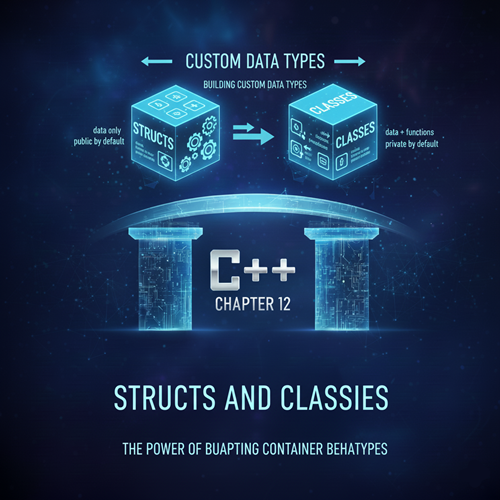
Chapter 12: Structs and Classes—Building Custom Data Types
Up until now, you have worked primarily with built-in data types (int, double, char) and Standard Template Library (STL) containers (std::vector, std::map). While powerful, these tools alone are insufficient for modeling the complex entities found in real-world applications.
In software development, you rarely deal with just an integer; you deal with a Student (who has a name, ID, and grade), a Car (which has a color, speed, and engine), or a Bank Account (which has a balance and an owner). These entities are complex because they combine multiple pieces of data and associated behaviors.
This chapter marks the transition into the next major phase of C++ programming: **Object-Oriented Programming (OOP)**. The cornerstone of OOP is the ability to create your own, custom data types using **Structs** and **Classes**.
Section 1: Structs—Grouping Related Data
A **struct** (short for structure) is the simplest way to group several related variables of different types under a single name. It is a concept borrowed from C that is used heavily in C++ for simple data aggregation.
Defining and Using a Struct
Consider a simple point in 2D space. Instead of tracking two separate variables, x and y, we can bundle them into a single Point struct.
// 1. Definition (usually placed outside main)
struct Point {
    double x; // Data member 1
    double y; // Data member 2
    // Structs can also contain functions (methods)
};

void demonstrate_struct() {
    // 2. Creating an instance (an object) of the struct
    Point p1;

    // 3. Accessing members using the dot (.) operator
    p1.x = 10.5;
    p1.y = 20.2;

    std::cout << "Point coordinates: (" << p1.x << ", " << p1.y << ")" << std::endl;
}
Structs and Functions
You can easily pass an instance of a struct to a function, either by value (which copies the entire struct) or, more commonly for efficiency, by constant reference.
// Function receives the Point by constant reference (no expensive copy)
double calculate_distance(const Point& p1, const Point& p2) {
    // (We omit the math here for brevity, but imagine the calculation)
    // return sqrt(pow(p2.x - p1.x, 2) + pow(p2.y - p1.y, 2));
    return 0.0;
}
Section 2: Classes—Data and Behavior in Harmony
A **class** is C++'s primary tool for implementing Object-Oriented Programming. Like a struct, a class groups data. Crucially, a class also groups **functions** (called **methods**) that operate on that data.
A class is a blueprint for creating an **object**. The object is a single instance of that blueprint, containing its own set of data and access to the shared methods.
Defining and Using a Class
We can evolve our simple Point struct into a Circle class, which contains data (radius) and behavior (calculating area).
// 1. Class Definition
class Circle {
public: // Access Specifier (discussed in next chapter)
    double radius; // Data Member

    // Method (Function inside the class)
    double getArea() {
        return 3.14159 * radius * radius;
    }

    // Method to display information
    void displayInfo() {
        std::cout << "Circle with radius " << radius
                  << " has area " << getArea() << std::endl;
    }
};

void demonstrate_class() {
    // 2. Creating an object
    Circle c1;

    // 3. Setting data and calling methods
    c1.radius = 5.0;
    c1.displayInfo(); // Output: Circle with radius 5 has area 78.53975
}
Section 3: Struct vs. Class—The Core Difference
In C++, the difference between a `struct` and a `class` is surprisingly small, but historically significant: **The default access level**.
In terms of capabilities, they are nearly identical: a struct can have methods, and a class can be used for simple data aggregation. However, the convention dictates their usage:
-
struct: Used for simple data bundles where all members are generally meant to be directly accessible.- **Default Access:** **
public**. If you don't specify an access level, everything inside is public.
- **Default Access:** **
-
class: Used for full-fledged OOP concepts where the complexity and internals of the object should be hidden from the user.- **Default Access:** **
private**. If you don't specify an access level, everything inside is private.
- **Default Access:** **
This difference is critical because the goal of OOP is to protect the integrity of the object's data. For this reason, the **class** keyword is overwhelmingly preferred for almost all custom data types in professional C++ programming.
We will strictly use the `class` keyword for the rest of the book to adhere to modern C++ best practices, only using `struct` when defining simple, inert data structures (known as **Plain Old Data** or POD).
Section 4: Introducing the Concept of the Object (The Three Pillars)
An object is more than just a grouping of data and functions. It is the implementation of the three main pillars of OOP:
- **Encapsulation (The Data Shield):** Bundling data (state) and the methods (behavior) that operate on that data into a single unit. It controls access to the data to prevent unintended modification.
- **Inheritance (The 'Is-A' Relationship):** Allowing one class (a child) to derive properties and behavior from another class (a parent). (E.g., A `Dog` is a type of `Animal`).
- **Polymorphism (The 'Many Forms'):** The ability of different objects to respond to the same message (method call) in different ways. (E.g., Calling `speak()` produces a different sound for a `Dog` than for a `Cat`).
In the next few chapters, we will dedicate an entire discussion to each of these concepts, starting with the most important pillar: **Encapsulation**.
Chapter 12 Conclusion
You have taken the first step into Object-Oriented Programming by learning how to define your own types using `struct` and `class`. You now have the power to model the world accurately in your programs, moving from simple integers to complex, feature-rich objects.
In **Chapter 13**, we will immediately tackle **Encapsulation** by mastering the use of **Access Specifiers** (`public` and `private`) and using special methods called **Getters and Setters** to protect and control access to the private data within your classes.