Chapter 19: Java Database Connectivity (JDBC) and Connection Pooling
By Ali Naqi | October 29, 2026
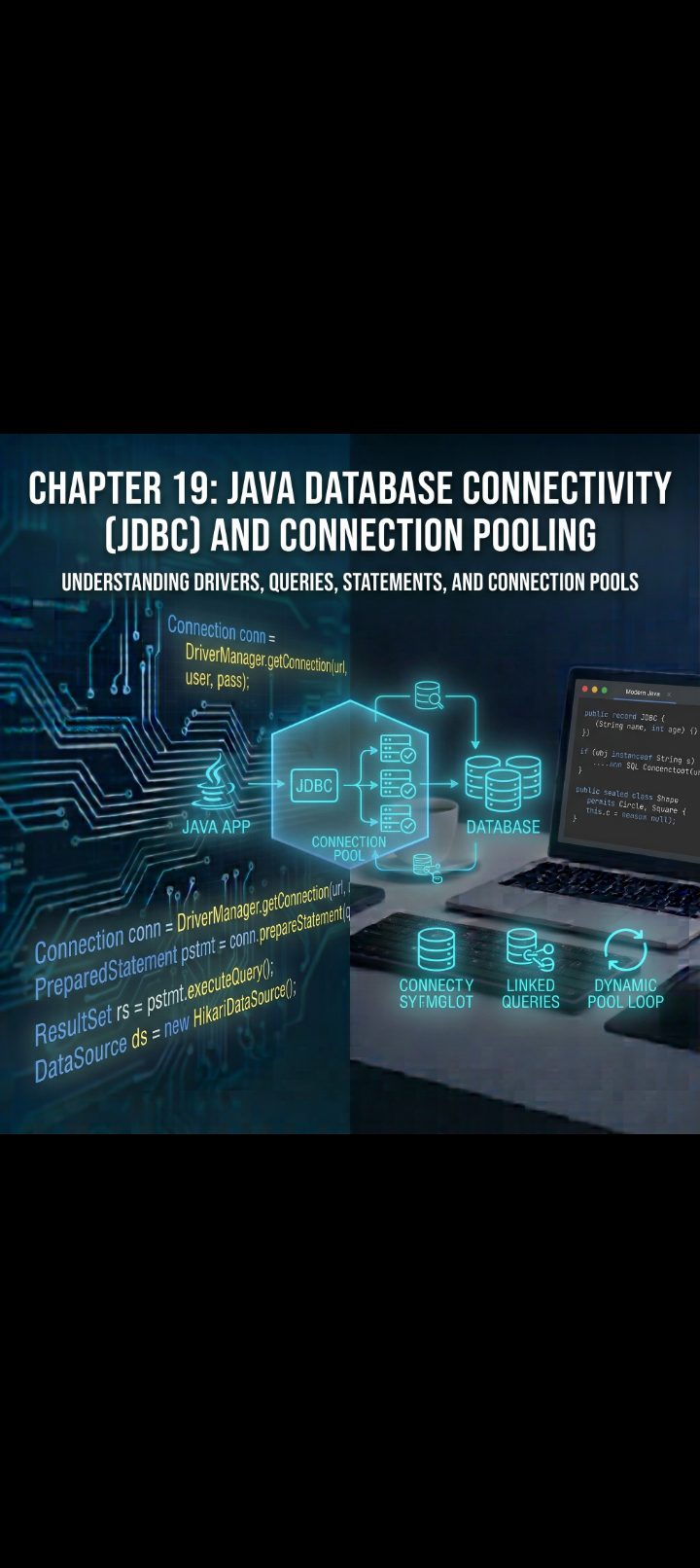
🗄️ Chapter 19: Java Database Connectivity (JDBC) and Connection Pooling
1. JDBC Architecture: The Driver Manager Pattern
JDBC is an abstraction layer provided within the standard JDK (java.sql and javax.sql). Rather than forcing you to learn vendor-specific wire protocols for every database on the market, JDBC establishes a unified API interface.
The database vendors (PostgreSQL, MySQL, SQLite, Oracle) provide the JDBC Driver—a JAR file containing the concrete implementations of those interfaces that translate standard JDBC calls into the database's native network protocol.
┌────────────────────────────────────────────────────────┐
│ Java Application │
│ (Uses java.sql.Connection, PreparedStatement, etc.) │
└───────────────────────────┬────────────────────────────┘
│
┌───────────────────────────▼────────────────────────────┐
│ JDBC Driver Manager │
│ (Resolves JDBC URLs: jdbc:postgresql://...) │
└─────────────┬───────────────────────────┬──────────────┘
│ │
┌─────────────▼──────────────┐ ┌──────────▼──────────────┐
│ PostgreSQL Driver (.jar) │ │ MySQL Driver (.jar) │
└─────────────┬──────────────┘ └──────────┬──────────────┘
│ (TCP Port 5432) │ (TCP Port 3306)
┌─────────────▼──────────────┐ ┌──────────▼──────────────┐
│ PostgreSQL Database │ │ MySQL Database │
└────────────────────────────┘ └─────────────────────────┘
The 4 Core Interfaces of JDBC:
* Driver & DriverManager: Locates and establishes the raw TCP connection to the database using a JDBC Connection URL.
* Connection: Manages the active session, execution context, and transactional boundaries.
* Statement / PreparedStatement: Encapsulates the SQL query sent over the socket to the database engine.
* ResultSet: An in-memory cursor pointing to the rows of data returned by a query.
2. Anatomy of a Database URL
To connect, JDBC requires a formatted connection string that identifies the driver protocol, host, port, and target database:
jdbc:postgresql://localhost:5432/ecommerce_db?sslmode=require
──┬─ ─────┬──── ───┬───── ─┬── ──────┬─────── ───────┬──────
│ │ │ │ │ │
│ │ Host Port Database Name URL Parameters
│ Sub-protocol (Vendor)
Protocol (Always jdbc)
3. The Classic Statement vs. PreparedStatement
When issuing SQL statements, JDBC gives you two primary options: Statement and PreparedStatement.
The Security Vulnerability: SQL Injection via Statement
Using raw Statement with string concatenation is one of the most critical security vulnerabilities in software engineering:
// DANGEROUS: DO NOT DO THIS!
Statement stmt = connection.createStatement();
String usernameInput = "admin' OR '1'='1"; // Malicious payload
String query = "SELECT * FROM users WHERE user_name = '" + usernameInput + "'";
ResultSet rs = stmt.executeQuery(query);
// The resulting query becomes: SELECT * FROM users WHERE user_name = 'admin' OR '1'='1'
// Authentication is completely bypassed!
The Solution: PreparedStatement
A PreparedStatement pre-compiles the SQL command inside the database engine using placeholders (?). The database treats user input strictly as literal parameter data, never as executable SQL code.
String safeSql = "SELECT * FROM users WHERE user_name = ? AND active = ?";
try (PreparedStatement pstmt = connection.prepareStatement(safeSql)) {
// Parameter indices are 1-based, NOT 0-based!
pstmt.setString(1, usernameInput);
pstmt.setBoolean(2, true);
try (ResultSet rs = pstmt.executeQuery()) {
while (rs.next()) {
// Process authenticated rows
}
}
}
Advantages of PreparedStatement:
* Immunity to SQL Injection: Input parameters cannot break out of their literal bounds to alter query structure.
* Performance (Query Plan Caching): The database parses, compiles, and optimizes the SQL execution plan once. Future calls with different parameter values reuse that cached plan.
* Automatic Type Mapping: Dates, timestamps, binary blobs, and strings are serialized cleanly into database-compatible data formats without manual escaping.
4. Reading Results: The ResultSet Cursor
A ResultSet maintains a dynamic cursor pointing just before the first row of data returned.
Calling rs.next() moves the cursor forward by one row. It returns true if a row exists, and false when it reaches the end of the records:
String query = "SELECT id, product_name, price, stock_quantity, created_at FROM inventory";
try (PreparedStatement pstmt = connection.prepareStatement(query);
ResultSet rs = pstmt.executeQuery()) {
while (rs.next()) {
// Retrieve columns by name (preferred for clarity) or by 1-based column index
long id = rs.getLong("id");
String name = rs.getString("product_name");
double price = rs.getDouble("price");
int stock = rs.getInt("stock_quantity");
// Modern Java Date/Time mapping via java.time
java.time.Instant createdAt = rs.getTimestamp("created_at").toInstant();
System.out.printf("Item [%d] %s: $%.2f (Stock: %d)%n", id, name, price, stock);
}
}
> Resource Management Reminder: Just like file streams (Chapter 14), Connection, PreparedStatement, and ResultSet consume operating system resources. Always enclose them in a try-with-resources block to ensure they close in the correct reverse-order sequence.
>
5. Transaction Management: Preserving ACID Boundaries
By default, every JDBC connection operates in Auto-Commit Mode. Every individual INSERT, UPDATE, or DELETE executes and commits immediately as an isolated mini-transaction.
Consider a bank transfer: you must deduct money from Account A and deposit it into Account B. If auto-commit is enabled and the server crashes after the deduction, the money vanishes.
To execute atomic multi-step operations, you must manage transactions explicitly:
public void transferFunds(Connection conn, long sourceAccId, long targetAccId, double amount)
throws SQLException {
String withdrawSql = "UPDATE accounts SET balance = balance - ? WHERE id = ?";
String depositSql = "UPDATE accounts SET balance = balance + ? WHERE id = ?";
try {
// 1. Disable Auto-Commit: Transaction begins here
conn.setAutoCommit(false);
// 2. Step One: Withdraw
try (PreparedStatement withdrawStmt = conn.prepareStatement(withdrawSql)) {
withdrawStmt.setDouble(1, amount);
withdrawStmt.setLong(2, sourceAccId);
withdrawStmt.executeUpdate();
}
// 3. Step Two: Deposit
try (PreparedStatement depositStmt = conn.prepareStatement(depositSql)) {
depositStmt.setDouble(1, amount);
depositStmt.setLong(2, targetAccId);
depositStmt.executeUpdate();
}
// 4. Everything succeeded: commit changes atomically
conn.commit();
System.out.println("Funds transferred successfully.");
} catch (SQLException ex) {
// 5. Any failure triggers a complete rollback
System.err.println("Transaction failed! Rolling back changes: " + ex.getMessage());
conn.rollback();
throw ex;
} finally {
// 6. Always restore default auto-commit behavior
conn.setAutoCommit(true);
}
}
6. Batch Processing: Eliminating Network Round-Trips
Executing 10,000 individual INSERT statements sequentially forces 10,000 separate network round-trips between your application and the database server.
JDBC supports Batch Operations, bundling thousands of commands into a single network packet:
String insertSql = "INSERT INTO metric_logs (sensor_id, reading_val) VALUES (?, ?)";
try (PreparedStatement pstmt = connection.prepareStatement(insertSql)) {
connection.setAutoCommit(false);
for (int i = 1; i <= 5000; i++) {
pstmt.setString(1, "SENSOR-" + (i % 10));
pstmt.setDouble(2, Math.random() * 100.0);
// Add current parameters to the in-memory batch buffer
pstmt.addBatch();
// Flush batch across network every 1,000 records to prevent memory bloat
if (i % 1000 == 0) {
pstmt.executeBatch();
}
}
// Execute any remaining records
pstmt.executeBatch();
connection.commit();
connection.setAutoCommit(true);
}
7. The Performance Bottleneck: Why Raw Connections Fail at Scale
Opening a raw database connection via DriverManager.getConnection(...) is one of the heaviest operations in backend computing. Every call requires:
* A physical TCP three-way handshake.
* A TLS/SSL cryptographic negotiation.
* Database process authentication and credential authorization.
* Memory allocation and session setup on the database server.
If your application receives 500 web requests per second and opens a brand-new connection for each request, response latency will skyrocket and the database engine will exhaust its max-connection limit.
Without Pooling (High Latency):
Request ──► [TCP Handshake] ──► [TLS Handshake] ──► [Auth] ──► [Query] ──► [Disconnect]
Cost: 50-100ms per request just for setup!
With Pooling (Instant Execution):
Request ──► [Borrow Warm Connection] ──► [Query] ──► [Return to Pool]
Cost: <1ms setup overhead!
8. Connection Pooling with HikariCP
A Connection Pool manages a set of pre-warmed, active database connections kept open in memory.
When your application needs to query the database:
* It borrows an existing, idle connection from the pool.
* It executes its query.
* Calling .close() on the pooled connection does not drop the physical network socket. Instead, it resets session state and returns the connection back to the pool for reuse.
The industry-standard connection pool for Java is HikariCP—celebrated for its microsecond performance, byte-level optimizations, and zero-overhead architecture (it is the default pool in Spring Boot).
Setting Up HikariCP
To use it, add the dependency to your build tool (Maven coordinate: com.zaxxer:HikariCP):
import com.zaxxer.hikari.HikariConfig;
import com.zaxxer.hikari.HikariDataSource;
import javax.sql.DataSource;
import java.sql.Connection;
import java.sql.PreparedStatement;
import java.sql.ResultSet;
import java.sql.SQLException;
public class DatabasePoolManager {
private static final HikariDataSource dataSource;
static {
HikariConfig config = new HikariConfig();
config.setJdbcUrl("jdbc:postgresql://localhost:5432/app_db");
config.setUsername("db_user");
config.setPassword("super_secret_pass");
// Pool Sizing and Timeouts
config.setMaximumPoolSize(10); // Max concurrent physical connections
config.setMinimumIdle(5); // Minimum warm idle connections maintained
config.setIdleTimeout(300_000); // 5 minutes before idle connections are recycled
config.setConnectionTimeout(10_000); // Max wait time (10s) to get a connection before failing
config.setPoolName("ApplicationHikariPool");
// Recommended PostgreSQL Performance Properties
config.addDataSourceProperty("cachePrepStmts", "true");
config.addDataSourceProperty("prepStmtCacheSize", "250");
config.addDataSourceProperty("prepStmtCacheSqlLimit", "2048");
dataSource = new HikariDataSource(config);
}
public static DataSource getDataSource() {
return dataSource;
}
public static void shutdown() {
if (dataSource != null) {
dataSource.close();
}
}
}
9. Practical Example: A Complete Data Access Object (DAO)
Let's build a clean, real-world Data Access Object (DAO) pattern integrating modern Java Records, HikariCP pooling, PreparedStatement, and robust exception handling.
import java.sql.*;
import java.util.ArrayList;
import java.util.List;
import java.util.Optional;
// Modern immutable domain record
record Customer(Long id, String fullName, String email, double creditLimit) {}
interface CustomerDao {
Customer create(String fullName, String email, double creditLimit) throws SQLException;
Optional<Customer> findById(long id) throws SQLException;
List<Customer> findAll() throws SQLException;
}
public class PostgresCustomerDao implements CustomerDao {
@Override
public Customer create(String fullName, String email, double creditLimit) throws SQLException {
String sql = """
INSERT INTO customers (full_name, email, credit_limit)
VALUES (?, ?, ?)
RETURNING id;
""";
// Borrow connection from HikariCP DataSource
try (Connection conn = DatabasePoolManager.getDataSource().getConnection();
PreparedStatement pstmt = conn.prepareStatement(sql)) {
pstmt.setString(1, fullName);
pstmt.setString(2, email);
pstmt.setDouble(3, creditLimit);
try (ResultSet rs = pstmt.executeQuery()) {
if (rs.next()) {
long generatedId = rs.getLong("id");
return new Customer(generatedId, fullName, email, creditLimit);
}
}
}
throw new SQLException("Failed to create customer record: no ID returned.");
}
@Override
public Optional<Customer> findById(long id) throws SQLException {
String sql = "SELECT id, full_name, email, credit_limit FROM customers WHERE id = ?";
try (Connection conn = DatabasePoolManager.getDataSource().getConnection();
PreparedStatement pstmt = conn.prepareStatement(sql)) {
pstmt.setLong(1, id);
try (ResultSet rs = pstmt.executeQuery()) {
if (rs.next()) {
return Optional.of(new Customer(
rs.getLong("id"),
rs.getString("full_name"),
rs.getString("email"),
rs.getDouble("credit_limit")
));
}
}
}
return Optional.empty();
}
@Override
public List<Customer> findAll() throws SQLException {
String sql = "SELECT id, full_name, email, credit_limit FROM customers ORDER BY id ASC";
List<Customer> customerList = new ArrayList<>();
try (Connection conn = DatabasePoolManager.getDataSource().getConnection();
PreparedStatement pstmt = conn.prepareStatement(sql);
ResultSet rs = pstmt.executeQuery()) {
while (rs.next()) {
customerList.add(new Customer(
rs.getLong("id"),
rs.getString("full_name"),
rs.getString("email"),
rs.getDouble("credit_limit")
));
}
}
return customerList;
}
public static void main(String[] args) {
CustomerDao dao = new PostgresCustomerDao();
try {
// Persist a new entity
Customer created = dao.create("Evelyn Harper", "evelyn@example.com", 5000.00);
System.out.println("Inserted: " + created);
// Fetch by ID
dao.findById(created.id()).ifPresentOrElse(
customer -> System.out.println("Located customer: " + customer.fullName()),
() -> System.out.println("Customer not found.")
);
} catch (SQLException e) {
System.err.println("Database operation failed: " + e.getMessage());
} finally {
DatabasePoolManager.shutdown();
}
}
}
📝 Chapter Summary
* JDBC is a standard driver-agnostic API that allows Java applications to communicate with any relational database.
* Always use PreparedStatement instead of raw string-concatenated Statement to prevent SQL Injection vulnerabilities and benefit from server-side query plan caching.
* The ResultSet acts as an iterative cursor over table rows; values are extracted using typed getters (getString, getLong, getTimestamp).
* To maintain ACID guarantees across multiple SQL operations, set connection.setAutoCommit(false), invoke your queries, call connection.commit(), and wrap the failure path with connection.rollback().
* Use addBatch() and executeBatch() to execute bulk operations without incurring per-statement network round-trip overhead.
* Raw database connection creation is slow and resource-heavy; production systems use high-performance connection pools like HikariCP to reuse warm network connections.