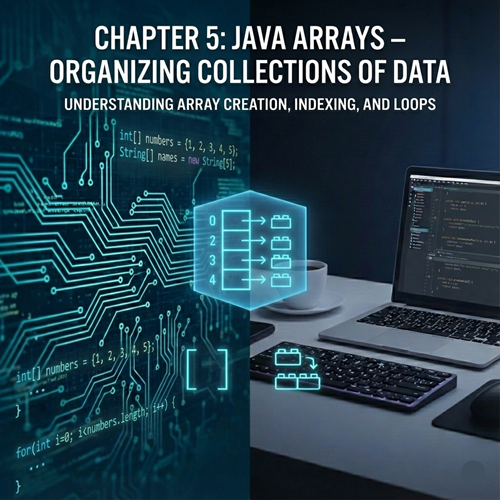
📦 Chapter 5: Arrays – Organizing Collections of Data
1. What is an Array? (The Locker Room Analogy)
An array is a container object that holds a fixed number of values of a single type.
Think of an array as a row of lockers in a school hallway:
- The Whole Set: The entire row is the "Array."
- The Compartments: Each locker is an "Element."
- The Numbering: Each locker has a number painted on the door. In Java, this number is called the Index.
- Uniformity: In our Java locker row, every locker must hold the same kind of thing. If the row is designated for "Books," you can't put a bicycle in one of them.
Key Characteristics of Java Arrays:
- Fixed Size: Once you create an array of 10 elements, it cannot grow to 11 or shrink to 9. You must know the size at the time of creation.
- Same Data Type: You can have an array of int, an array of String, or an array of double, but you cannot mix them.
- Zero-Based Indexing: This is the "golden rule" of programming. Java starts counting at 0, not 1.
2. Declaring and Initializing Arrays
There are two main ways to create an array in Java.
Method A: Declaring then Allocating (The "Empty Box" Approach)
If you know how many items you need but don't know the values yet, you use the new keyword.
Java
// 1. Declaration: Tell Java we want an array of integers
int[] ages;

// 2. Allocation: Reserve space for 5 integers in memory
ages = new int[5];
You can combine these into one line:
int[] ages = new int[5];
Method B: Inline Initialization (The "Pre-filled" Approach)
If you already know the values, you can skip the new keyword and the size definition. Java will count the elements for you.
Java
int[] luckyNumbers = {7, 13, 21, 42, 100};
3. Accessing and Modifying Elements
To get a value out of an array or change a value inside it, you use the square brackets [] with the index number.
Java
String[] fruits = {"Apple", "Banana", "Cherry"};

// Accessing
System.out.println(fruits[0]); // Prints "Apple"

// Modifying
fruits[1] = "Blueberry";
System.out.println(fruits[1]); // Prints "Blueberry"
⚠️ The "Off-By-One" Danger
Because Java starts counting at 0, the last index of an array is always (length - 1).
If you have an array of 10 items and you try to access myArray[10], Java will crash with a famous error: ArrayIndexOutOfBoundsException. This is one of the most common bugs for beginners!
4. The .length Property
Every array in Java has a built-in "property" that tells you how many elements it can hold. This is incredibly useful when you don't want to hard-code numbers into your logic.
Java
int[] scores = {95, 88, 72, 99};
System.out.println("There are " + scores.length + " scores in this list.");
5. Iterating Through Arrays (Loops + Arrays = Power)
Arrays and loops are best friends. Since an array is a sequence of data, we can use a for loop to "walk" through the array and perform actions on every item.
The Standard for Loop
This gives you maximum control because you have access to the index i.
Java
int[] prices = {10, 20, 30, 40, 50};

for (int i = 0; i < prices.length; i++) {
    System.out.println("Item " + i + " costs: $" + prices[i]);
}
The "Enhanced" For-Each Loop
Introduced in Java 5, this is a cleaner way to read every element if you don't care about the index number. It reads as: "For every price in the prices array..."
Java
for (int price : prices) {
    System.out.println("Price: $" + price);
}
6. Multidimensional Arrays (Arrays within Arrays)
Sometimes data is better represented as a table or a grid (like a chessboard or an Excel spreadsheet). In Java, we create a 2D Array, which is essentially an array where every element is itself another array.
Declaration and Access
Java
// A 3x3 grid (Rows x Columns)
int[][] matrix = {
    {1, 2, 3},
    {4, 5, 6},
    {7, 8, 9}
};

// Accessing the middle number (Row 1, Column 1)
System.out.println(matrix[1][1]); // Prints 5
To print a 2D array, you need nested loops:
Java
for (int row = 0; row < matrix.length; row++) {
    for (int col = 0; col < matrix[row].length; col++) {
        System.out.print(matrix[row][col] + " ");
    }
    System.out.println(); // New line after each row
}
7. The java.util.Arrays Utility Class
Java provides a "helper" class that contains very useful static methods for working with arrays. To use it, you must add import java.util.Arrays; at the very top of your file.
- Arrays.toString(myArray): Converts an array into a readable string (e.g., [1, 2, 3]) so you can print it easily.
- Arrays.sort(myArray): Sorts the array in ascending order.
- Arrays.equals(arr1, arr2): Checks if two arrays have the same elements in the same order.
Java
import java.util.Arrays;

public class ArrayHelper {
    public static void main(String[] args) {
        int[] numbers = {5, 2, 9, 1, 3};

        Arrays.sort(numbers);
        System.out.println(Arrays.toString(numbers)); // Prints [1, 2, 3, 5, 9]
    }
}
8. Practical Example: The Mini-Gradebook
Let’s build a program that takes a list of student scores, calculates the average, and finds the highest score.
Java
public class GradeBook {
    public static void main(String[] args) {
        int[] grades = {85, 92, 78, 88, 95, 60, 100};

        int sum = 0;
        int highest = grades[0]; // Assume the first is the highest initially

        for (int score : grades) {
            sum += score; // Add to total

            if (score > highest) {
                highest = score; // Update highest if current is bigger
            }
        }

        double average = (double) sum / grades.length;

        System.out.println("Average Score: " + average);
        System.out.println("Highest Score: " + highest);
    }
}
🛠️ Limitations of Arrays (A Glimpse into the Future)
While arrays are fast and efficient, their fixed size is a major drawback. What if you're building a shopping cart and the user keeps adding items? You can't keep "re-sizing" an array easily.
In professional Java development, we often use ArrayLists (part of the Collections Framework) which can grow and shrink dynamically. We will cover those later, but understanding the basic Array is vital because it is the foundation upon which those more complex tools are built.
📝 Chapter Summary
In this chapter, we explored the first "Complex" data structure:
- Arrays store multiple values of the same type in a single variable.
- Indices start at 0 and go up to length - 1.
- Loops (Standard and Enhanced) allow us to process every item in an array efficiently.
- 2D Arrays allow us to represent grids and tables.
- The Arrays class provides shortcuts for sorting and printing.