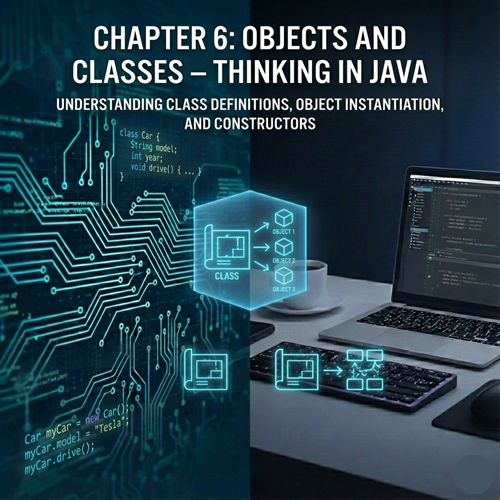
🏗️ Chapter 6: Objects and Classes – Thinking in Java
1. The Paradigm Shift: From Verbs to Nouns
In procedural programming, we focus on actions (the verbs): calculateSum, printReport, saveData.
In Object-Oriented Programming, we focus on things (the nouns): User, Invoice, Player, Button.
Imagine you are building a racing game. In a procedural style, you’d have a bunch of arrays for car positions, another array for car colors, and separate functions to move them. It gets messy fast. In OOP, you simply create a Car object. That object knows its own color, its own speed, and it knows how to move itself.
2. Classes vs. Objects: The Blueprint and the House
This is the single most important distinction to understand.
- A Class is a blueprint. It is a template that defines what a "thing" will look like and what it will do. It doesn't actually exist in memory as a "thing" yet; it’s just a plan.
- An Object is an instance of that class. If the class is the blueprint for a house, the object is the actual house built of bricks and mortar where someone lives.
You can use one blueprint (Class) to build a thousand houses (Objects), and each house can have a different color or a different family living inside.
3. Anatomy of a Class: State and Behavior
A class consists of two main components:
- Fields (State/Attributes): These are variables that belong to the class. They represent what the object is or has (e.g., a Car has a color, a model, and a topSpeed).
- Methods (Behavior): These are functions defined inside the class. They represent what the object does (e.g., a Car can accelerate(), brake(), and honk()).
Creating Your First Class
Let's design a class for a Smartphone.
Java
class Smartphone {
    // 1. Fields (Attributes)
    String brand;
    String model;
    int storageCapacity;
    double batteryLevel;

    // 2. Methods (Behaviors)
    void makeCall(String contactName) {
        System.out.println("Calling " + contactName + "...");
    }

    void checkBattery() {
        System.out.println("Battery is at: " + batteryLevel + "%");
    }
}
4. Creating Objects (Instantiation)
To actually use this Smartphone blueprint, we have to create an object in our main method using the new keyword.
Java
public class Main {
    public static void main(String[] args) {
        // Create an object of the Smartphone class
        Smartphone myPhone = new Smartphone();

        // Assigning values to the fields (using the dot operator)
        myPhone.brand = "Apple";
        myPhone.model = "iPhone 15";
        myPhone.batteryLevel = 85.5;

        // Calling methods
        myPhone.makeCall("Mom");
        myPhone.checkBattery();
    }
}
The Dot Operator (.)
The dot operator is your way of "reaching inside" an object to access its variables or trigger its methods. Think of it as saying: "Go to myPhone and find its brand."
5. Constructors: The Birth of an Object
In the example above, setting the brand and model line-by-line is tedious. What if we want to set those values the moment the object is "born"? This is where Constructors come in.
A constructor is a special method that is called automatically when you use the new keyword.
- It has the exact same name as the class.
- It has no return type (not even void).
Java
class Smartphone {
    String brand;
    String model;

    // Constructor
    Smartphone(String b, String m) {
        brand = b;
        model = m;
        System.out.println("A new phone has been created!");
    }
}

// Now we can create a phone in one line:
Smartphone yourPhone = new Smartphone("Samsung", "Galaxy S23");
6. The this Keyword: Clearing Confusion
In professional code, we don't usually name our constructor parameters b and m. We want to name them brand and model. But then the code looks like this: brand = brand;. Java gets confused—is the left "brand" the variable in the class or the one in the parameter?
We use this to refer to the current object.
Java
class Smartphone {
    String brand; // This belongs to the class

    Smartphone(String brand) {
        this.brand = brand; // "Set THIS object's brand to the brand passed in"
    }
}
7. Memory: The Heap and The Stack (A Quick Peek)
Where do objects live? It's helpful to understand how Java manages memory:
- The Stack: This is where local variables and method calls live. It's fast but small. When a method finishes, its stack memory is wiped.
- The Heap: This is where all objects live. When you say new Smartphone(), Java carves out a chunk of space in the Heap.
When you create Smartphone myPhone = new Smartphone();:
- The myPhone variable is stored on the Stack.
- The actual object data is stored on the Heap.
- The variable on the Stack simply holds a reference (the memory address) to the object on the Heap.
This is why objects are called "Reference Types."
8. Encapsulation: The "Black Box" Principle
Imagine you are driving a car. You press the gas pedal, and the car goes faster. Do you need to know how the fuel injectors are firing or how the pistons are moving? No. That complexity is hidden from you.
In OOP, we call this Encapsulation. We want to hide the internal data of our objects and only allow interaction through methods. This prevents other parts of the program from accidentally "breaking" our object's data.
How to Encapsulate:
- Mark your variables as private.
- Provide public methods called Getters and Setters to access/modify them.
Java
class BankAccount {
    private double balance; // No one can change this directly!

    // Setter with validation
    public void deposit(double amount) {
        if (amount > 0) {
            balance += amount;
        } else {
            System.out.println("Invalid deposit amount!");
        }
    }

    // Getter
    public double getBalance() {
        return balance;
    }
}
9. Practical Example: The Player Class
Let’s put it all together. Imagine we are building a simple game. We need a Player class that manages health and experience points.
Java
class Player {
    private String name;
    private int health;
    private int level;

    // Constructor
    public Player(String name) {
        this.name = name;
        this.health = 100; // Default health
        this.level = 1;    // Default level
    }

    public void takeDamage(int damage) {
        this.health -= damage;
        if (this.health < 0) this.health = 0;
        System.out.println(name + " took damage! Health: " + health);
    }

    public void heal(int amount) {
        this.health += amount;
        if (this.health > 100) this.health = 100;
        System.out.println(name + " healed. Health: " + health);
    }

    public void displayStats() {
        System.out.println("--- " + name + " ---");
        System.out.println("Level: " + level);
        System.out.println("Health: " + health);
    }
}

public class Game {
    public static void main(String[] args) {
        Player p1 = new Player("Aragorn");
        Player p2 = new Player("Legolas");

        p1.takeDamage(30);
        p2.heal(10);

        p1.displayStats();
        p2.displayStats();
    }
}
📝 Chapter Summary
In this chapter, we moved from writing "scripts" to building "systems":
- Classes are blueprints; Objects are the real-world instances.
- Objects have State (Fields) and Behavior (Methods).
- Constructors initialize objects when they are created with the new keyword.
- this differentiates between class variables and parameters.
- Encapsulation protects data by making fields private and using Getters/Setters.
- Objects live on the Heap, while references to them live on the Stack.
You are now officially an "Object-Oriented Programmer." But the real power of OOP comes when classes start talking to each other and inheriting traits from one another.