Chapter 8: Namespaces, PSR-4 Autoloading, and Package Management with Composer
By Ali Naqi | November 12, 2026
Modern PHP Mastery: From First Steps to Production
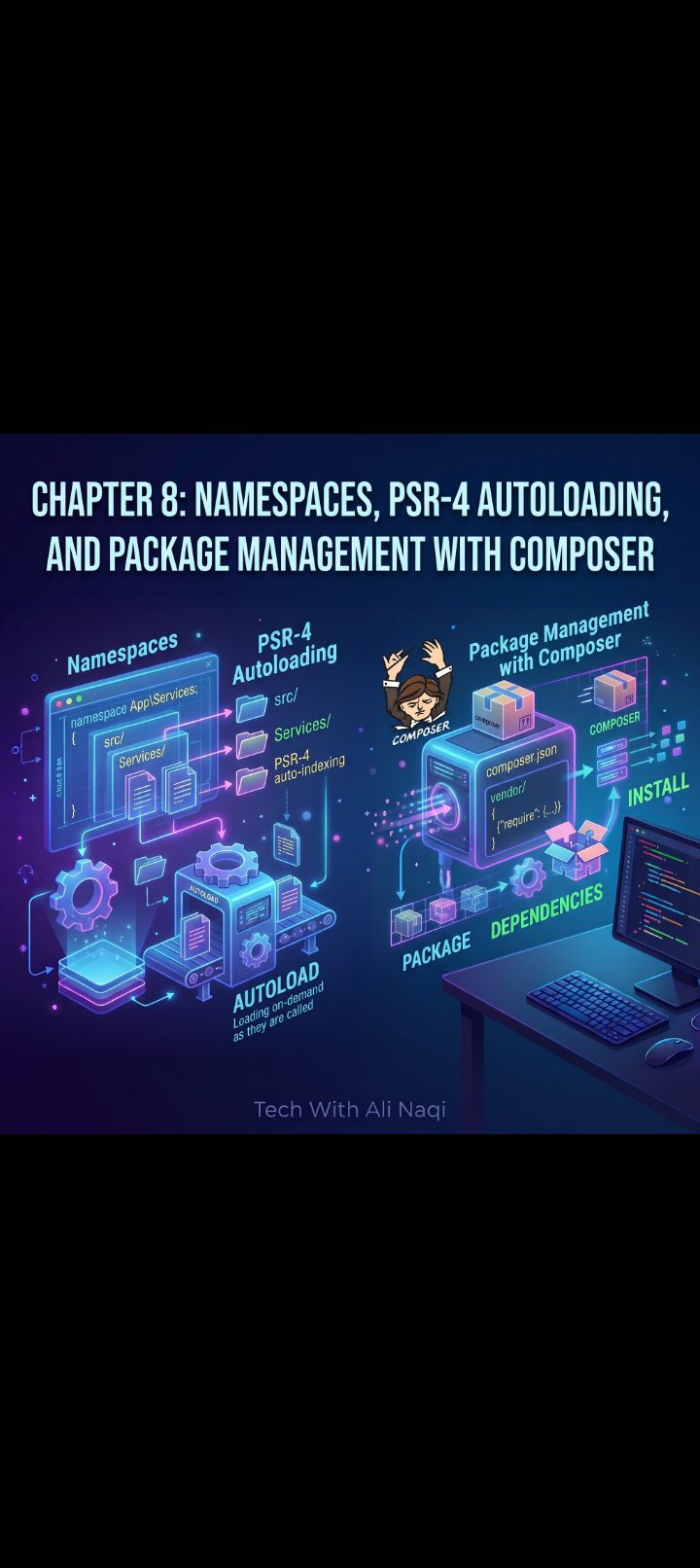
Chapter 8: Namespaces, PSR-4 Autoloading, and Package Management with Composer
In Chapter 7, we designed decoupled architectures using inheritance, abstract classes, and interfaces. Up to this point, our examples have lived inside single PHP files. That works well for focused demonstrations, but real production applications contain dozens or even hundreds of classes—controllers, models, database repositories, validators, and third-party libraries.
If you dump dozens of files into one folder and link them together using manual require_once statements at the top of every script, two fatal problems emerge almost immediately:
* Name Collisions: If your code defines a User class or a Logger interface, and a third-party library you install also defines a User class or Logger interface, PHP crashes immediately with Fatal error: Cannot declare class User, because the name is already in use.
* Require Soup: Tracking dozens of manual require_once paths across files breaks whenever you move a file or refactor a folder structure.
Modern PHP solves both problems completely through Namespaces, the PSR-4 Autoloading Standard, and Composer (PHP's official dependency manager). In this chapter, we will organize a multi-file project from scratch, configure automatic class loading, and pull in external open-source packages cleanly.
Understanding PHP Namespaces
A namespace is a virtual directory structure for your code symbols (classes, interfaces, traits, functions, and constants). Just as an operating system allows two files named report.pdf to exist simultaneously if one lives in /finance/ and the other in /marketing/, namespaces allow two Logger classes to coexist without conflict.
Declaring a Namespace
The namespace keyword must be the very first statement in a PHP file (immediately after declare(strict_types=1); if used):
<?php
declare(strict_types=1);
namespace App\Billing\Gateways;
class StripeGateway
{
public function connect(): string
{
return "Connected to Stripe API.";
}
}
The class's Fully Qualified Class Name (FQCN) is now \App\Billing\Gateways\StripeGateway.
Importing and Aliasing with use
To reference a namespaced class from another file without typing its full path every time, import it at the top of the file using the use keyword:
<?php
declare(strict_types=1);
namespace App\Controllers;
// Import classes from other namespaces
use App\Billing\Gateways\StripeGateway;
use Vendor\PaymentSdk\StripeGateway as ExternalStripeClient; // Aliasing prevents collision
class CheckoutController
{
public function handle(): void
{
$internalGateway = new StripeGateway();
$sdkClient = new ExternalStripeClient();
}
}
Global Namespace Resolution (\)
When working inside a namespace, PHP assumes any unqualified class name belongs to the current namespace. To instantiate built-in PHP classes like DateTimeImmutable, PDO, or RuntimeException, either import them with use DateTimeImmutable; or prepend a leading backslash (\DateTimeImmutable) to look in the root global namespace:
<?php
declare(strict_types=1);
namespace App\Domain;
use DateTimeImmutable;
use InvalidArgumentException;
final class Subscription
{
private DateTimeImmutable $expiresAt;
public function __construct(int $daysValid)
{
if ($daysValid <= 0) {
throw new InvalidArgumentException("Subscription duration must be positive.");
}
$this->expiresAt = (new DateTimeImmutable())->modify("+{$daysValid} days");
}
}
How Autoloading Works Behind the Scenes
Before autoloading existed, PHP scripts began with long blocks of manual imports:
// Legacy "Require Soup" — never write this in modern PHP
require_once __DIR__ . '/src/Contracts/PaymentInterface.php';
require_once __DIR__ . '/src/Gateways/AbstractGateway.php';
require_once __DIR__ . '/src/Gateways/StripeGateway.php';
require_once __DIR__ . '/src/Services/CheckoutService.php';
PHP provides spl_autoload_register(), a hook that fires automatically whenever your code references a class that hasn't been loaded into memory yet. Instead of crashing immediately, PHP hands the missing class's FQCN (e.g., App\Gateways\StripeGateway) to your autoloader callback, which translates that namespace string into a file path and requires it on demand—loading only the classes used during that specific HTTP request.
The PSR-4 Autoloading Standard
To prevent every framework and library from inventing incompatible folder layouts, the PHP Framework Interop Group (PHP-FIG) established PSR-4.
PSR-4 enforces a strict 1-to-1 mapping between namespace prefixes and directory paths:
* A base namespace prefix (such as App\) maps directly to a base directory (such as src/).
* Every sub-namespace segment maps to a matching subdirectory with identical casing.
* The class name maps directly to a .php file with the exact same name and casing.
Namespace Prefix: App\ ──▶ Directory: src/
Class FQCN: App\Billing\Gateways\StripeGateway
File Location: src/Billing/Gateways/StripeGateway.php
> Critical Linux Deployment Note: Windows and macOS file systems are case-insensitive by default, meaning stripeGateway.php might load locally even if the class is named StripeGateway. Linux production servers use case-sensitive file systems (ext4/XFS) and will throw a fatal Class not found error if a single letter's casing differs between the class name and filename. Always match casing identically.
>
Composer: PHP’s Dependency Manager and Autoloader Generator
Composer is the backbone of modern PHP development. It performs two essential tasks:
* Dependency Management: Downloads open-source packages from Packagist, resolves version constraints recursively, and locks exact versions for reproducible deployments.
* PSR-4 Autoload Generation: Compiles an optimized class-map autoloader (vendor/autoload.php) so you never write require statements for classes again.
Installing Composer
Verify whether Composer is installed on your machine by running:
composer --version
If not installed, download it from getcomposer.org (or via brew install composer on macOS / scoop install composer on Windows).
Anatomy of composer.json
Every Composer-managed project is configured via a composer.json file in the project root:
{
"name": "alinaqi/modern-php-app",
"description": "Production-structured PHP project with PSR-4 autoloading",
"type": "project",
"require": {
"php": "^8.2"
},
"autoload": {
"psr-4": {
"App\\": "src/"
}
}
}
Essential Composer Commands
| Command | Purpose |
|---|---|
| composer init | Interactively generates a new composer.json file. |
| composer require vendor/package | Downloads a package, adds it to composer.json, and updates composer.lock. |
| composer dump-autoload | Regenerates vendor/autoload.php after you edit PSR-4 namespace mappings in composer.json. |
| composer install | Installs exact package versions recorded in composer.lock (used on production servers). |
| composer update | Updates dependencies to the latest versions allowed by composer.json. |
> Git Best Practice: Always commit both composer.json and composer.lock to version control, and add /vendor/ to your .gitignore file. Committing composer.lock guarantees that every developer and production server installs identical library versions.
>
Practical Project: Structuring a Multi-File PSR-4 Application
Let’s convert our architecture into a clean, multi-file application managed by Composer, and pull in a real third-party package—Monolog (the industry-standard PHP logging library used by Laravel and Symfony)—to demonstrate external dependency integration.
Step 1: Create the Project Directory Structure
Create a new folder named php-psr4-app with the following layout:
php-psr4-app/
├── composer.json
├── public/
│ └── index.php
└── src/
├── Contracts/
│ └── NotifierInterface.php
└── Services/
├── EmailNotifier.php
└── OrderDispatcher.php
Step 2: Configure composer.json and Install Monolog
Inside php-psr4-app/, create composer.json:
{
"name": "techwithalinaqi/psr4-demo",
"description": "PSR-4 Autoloading and Composer Architecture Demo",
"require": {
"php": "^8.2",
"monolog/monolog": "^3.0"
},
"autoload": {
"psr-4": {
"App\\": "src/"
}
}
}
Open your terminal inside php-psr4-app/ and run:
composer install
Composer will download monolog/monolog alongside psr/log, generate composer.lock, and build vendor/autoload.php.
Step 3: Create the Interface (src/Contracts/NotifierInterface.php)
<?php
declare(strict_types=1);
namespace App\Contracts;
interface NotifierInterface
{
public function notify(string $recipient, string $message): bool;
}
Step 4: Create the Concrete Implementation (src/Services/EmailNotifier.php)
<?php
declare(strict_types=1);
namespace App\Services;
use App\Contracts\NotifierInterface;
use Psr\Log\LoggerInterface;
final class EmailNotifier implements NotifierInterface
{
public function __construct(
private readonly LoggerInterface $logger
) {}
public function notify(string $recipient, string $message): bool
{
// Simulate email dispatch and record structured telemetry via Monolog
$this->logger->info('Dispatching transactional email', [
'recipient' => $recipient,
'preview' => substr($message, 0, 40),
]);
return true;
}
}
Step 5: Create the Domain Service (src/Services/OrderDispatcher.php)
<?php
declare(strict_types=1);
namespace App\Services;
use App\Contracts\NotifierInterface;
final class OrderDispatcher
{
public function __construct(
private readonly NotifierInterface $notifier
) {}
public function completeOrder(string $orderId, string $customerEmail): array
{
$message = "Your order {$orderId} has been confirmed and queued for shipment.";
$dispatched = $this->notifier->notify($customerEmail, $message);
return [
'order_id' => $orderId,
'recipient' => $customerEmail,
'dispatched' => $dispatched,
'timestamp' => date('Y-m-d H:i:s'),
];
}
}
Step 6: Create the Front Controller (public/index.php)
Notice that public/index.php requires only one file (vendor/autoload.php). Every custom class under App\ and every vendor library loads automatically on demand:
<?php
declare(strict_types=1);
require_once __DIR__ . '/../vendor/autoload.php';
use App\Services\EmailNotifier;
use App\Services\OrderDispatcher;
use Monolog\Handler\StreamHandler;
use Monolog\Level;
use Monolog\Logger;
// Configure Monolog from the installed vendor package
$logPath = __DIR__ . '/../app.log';
$logger = new Logger('orders');
$logger->pushHandler(new StreamHandler($logPath, Level::Info));
// Wire dependencies together cleanly
$notifier = new EmailNotifier($logger);
$dispatcher = new OrderDispatcher($notifier);
$receipt = $dispatcher->completeOrder('ORD-2026-7741', 'customer@example.com');
?>
<!DOCTYPE html>
<html lang="en">
<head>
<meta charset="UTF-8">
<title>PSR-4 & Composer Architecture</title>
<style>
body { font-family: -apple-system, BlinkMacSystemFont, "Segoe UI", Roboto, sans-serif; background: #0f172a; color: #f8fafc; padding: 2rem; }
.card { max-width: 600px; margin: 0 auto; background: #1e293b; border-radius: 10px; padding: 2rem; border: 1px solid #334155; }
.badge { background: #065f46; color: #6ee7b7; padding: 0.25rem 0.65rem; border-radius: 9999px; font-size: 0.75rem; font-weight: 600; }
.row { display: flex; justify-content: space-between; padding: 0.65rem 0; border-bottom: 1px solid #334155; font-size: 0.95rem; }
code { color: #38bdf8; }
</style>
</head>
<body>
<div class="card">
<div style="display: flex; justify-content: space-between; align-items: center; margin-bottom: 1rem;">
<h2 style="margin: 0;">Order Dispatch Confirmation</h2>
<span class="badge"><?= $receipt['dispatched'] ? 'SENT' : 'FAILED' ?></span>
</div>
<div class="row">
<span>Order Reference:</span>
<code><?= htmlspecialchars($receipt['order_id'], ENT_QUOTES, 'UTF-8') ?></code>
</div>
<div class="row">
<span>Customer Email:</span>
<span><?= htmlspecialchars($receipt['recipient'], ENT_QUOTES, 'UTF-8') ?></span>
</div>
<div class="row">
<span>Processed At:</span>
<span><?= htmlspecialchars($receipt['timestamp'], ENT_QUOTES, 'UTF-8') ?></span>
</div>
<p style="color: #94a3b8; font-size: 0.85rem; margin-top: 1.25rem;">
Telemetry logged to <code>app.log</code> via <code>monolog/monolog</code>.
</p>
</div>
</body>
</html>
Start PHP's development server pointing at the public/ directory:
php -S localhost:8000 -t public
Open http://localhost:8000 in your browser, then check the newly created app.log file in your project root—you will see structured JSON-like telemetry written automatically by Monolog.
Chapter 8 Key Takeaways
* Namespaces isolate code symbols into logical hierarchies, eliminating class and function naming collisions across large projects and third-party packages.
* PSR-4 maps namespace prefixes directly to folder paths: Ensure directory names and .php filenames match class names with exact case sensitivity so code deploys cleanly to Linux servers.
* Composer eliminates manual require statements: Requiring vendor/autoload.php once in your entry script (public/index.php) dynamically loads both your own App\ classes and all installed libraries.
* Keep public/ as your web root: Storing src/ and vendor/ one level above public/ prevents visitors from ever directly accessing raw PHP classes or configuration files over HTTP.
* Commit composer.lock, ignore vendor/: Locking dependency versions ensures deterministic builds across local machines, staging servers, and production environments.
In Chapter 9, we will explore Error Handling, Exceptions, and Defensive Programming: building custom exception hierarchies, using try / catch / finally blocks cleanly, converting PHP warnings into catchable ErrorException instances, and configuring production-safe error handlers.